Beginner's guide
Log your first trade and follow a three-trade worked example.
Your first trade or your thousandth: keep your trades, screenshots and lessons in one easy-to-use journal. Built for forex, stocks, crypto, futures and more — with a clean interface that makes reviewing your trading feel simple.
Free plan: 30 trades/month · 15 journal entries/month · 90-day history
Actual web interface · sample data · tap a screen to explore
A forex trading journal, stock trading journal or crypto trading journal — all in one place. Record your own symbols and realized results for futures, options, indices and commodities, too.
Manual trade logging and CSV import using the app's template. Record your results in your profile currency; broker connections and instrument-specific pricing are not required.
You don't need a complicated spreadsheet or years of trading experience. Start with one trade, one note and one thing to learn.
Add the symbol, risk and result manually, or import a CSV formatted to the app's template.
Write why you entered, how you felt and what you would change. Attach a chart screenshot for context.
See your profit and loss, win rate and calendar. Use your own records to spot habits worth repeating.
Journaling helps you review past trades. It does not guarantee future results.
Practical guides with clearly labeled examples. Learn what to record, keep your money results consistent and build a routine you can repeat.
Log your first trade and follow a three-trade worked example.
Download a blank CSV and learn what each field means.
Forex sessions, stock partial exits and crypto fees: keep the context that matters.
Actual web interface · sample data · tap to explore
Actual web interface · sample data · tap to explore
Actual web interface · sample data · tap to explore
Actual web interface · sample data · tap to explore
Actual web interface · sample data · tap to explore
Actual web interface · sample data · tap to explore
Actual web interface · sample data · tap to explore
Actual web interface · sample data · tap to explore
Actual web interface · sample data · tap to explore
Actual web interface · sample data · tap to explore
Start with free core journaling tools. Upgrade to Meow+ for full history, higher limits and an ad-free experience.
Meow+ also offers USD $59.99 yearly — save 17% compared with monthly billing. No free trial.
Compare all features and limits on our detailed pricing page.
View Full PricingLook for an easy way to record trades, clear performance charts, room for notes and screenshots, and transparent free-plan limits. The best fit is a journal you can use consistently. MeowPips brings those tools together in a beginner-friendly desktop and mobile interface.
Yes. The Meowz plan is free forever, with no credit card required. It includes 30 trades and 15 journal entries per month, 90-day trade history and three statistics reports per month. Meow+ is optional if you need higher limits and full history.
MeowPips is built to make journaling easy to start. Add a trade, write what you learned and review your results in the dashboard and calendar. You can log trades manually without a broker connection or a complicated spreadsheet.
Record forex, stocks, crypto, futures, options, indices and commodities using your own symbols and realized profit or loss. Use your profile currency consistently. MeowPips is a journal for your recorded results; it does not price options, calculate contract values or execute trades.
No. Trades are entered manually or imported through CSV. The upload dialog shows the required headers and formatting instructions. Convert your broker export to that structure before uploading, and review the imported records for accuracy.
No. Trades are entered manually or imported through CSV. The upload dialog shows the required headers and formatting instructions. Convert your broker export to that structure before uploading, and review the imported records for accuracy.
Yes. The web app is available in desktop and mobile browsers. Sign in to the same account to access saved records on another device. Refresh the relevant view to load changes; unsaved form input is not transferred between devices.
Yes. The web app is available in desktop and mobile browsers. Sign in to the same account to access saved records on another device. Refresh the relevant view to load changes; unsaved form input is not transferred between devices.
Prop-firm tracking uses logged trades and the rules you enter to compare your results with your configured limits. It does not monitor or control your broker account, block orders or send live broker-risk alerts. Keep your trade records up to date.
Your account requires authentication, and journal records are scoped to your account. Keep your sign-in details private and review the Privacy Policy for how information is handled. We do not offer end-to-end encrypted journaling.
Yes. The web app is available in desktop and mobile browsers. Sign in to the same account to access saved records on another device. Refresh the relevant view to load changes; unsaved form input is not transferred between devices.
Meowz includes 30 trades and 15 journal entries per month, a 90-day history window, two profiles, seven screenshot uploads and three statistics reports per month. Check Settings → Usage for your current usage.
Meow+ provides unlimited trades, journal entries and statistics reports, full history, up to five profiles and 100 screenshots per month. There are limits of three images per trade and five per journal entry. Web plans cost USD $5.99 monthly or $59.99 annually, with no free trial. Checkout displays the final amount and any applicable tax.
Explore our comprehensive knowledge base for deeper insights on tracking, psychology, and manual prop firm journaling.
View Complete FAQ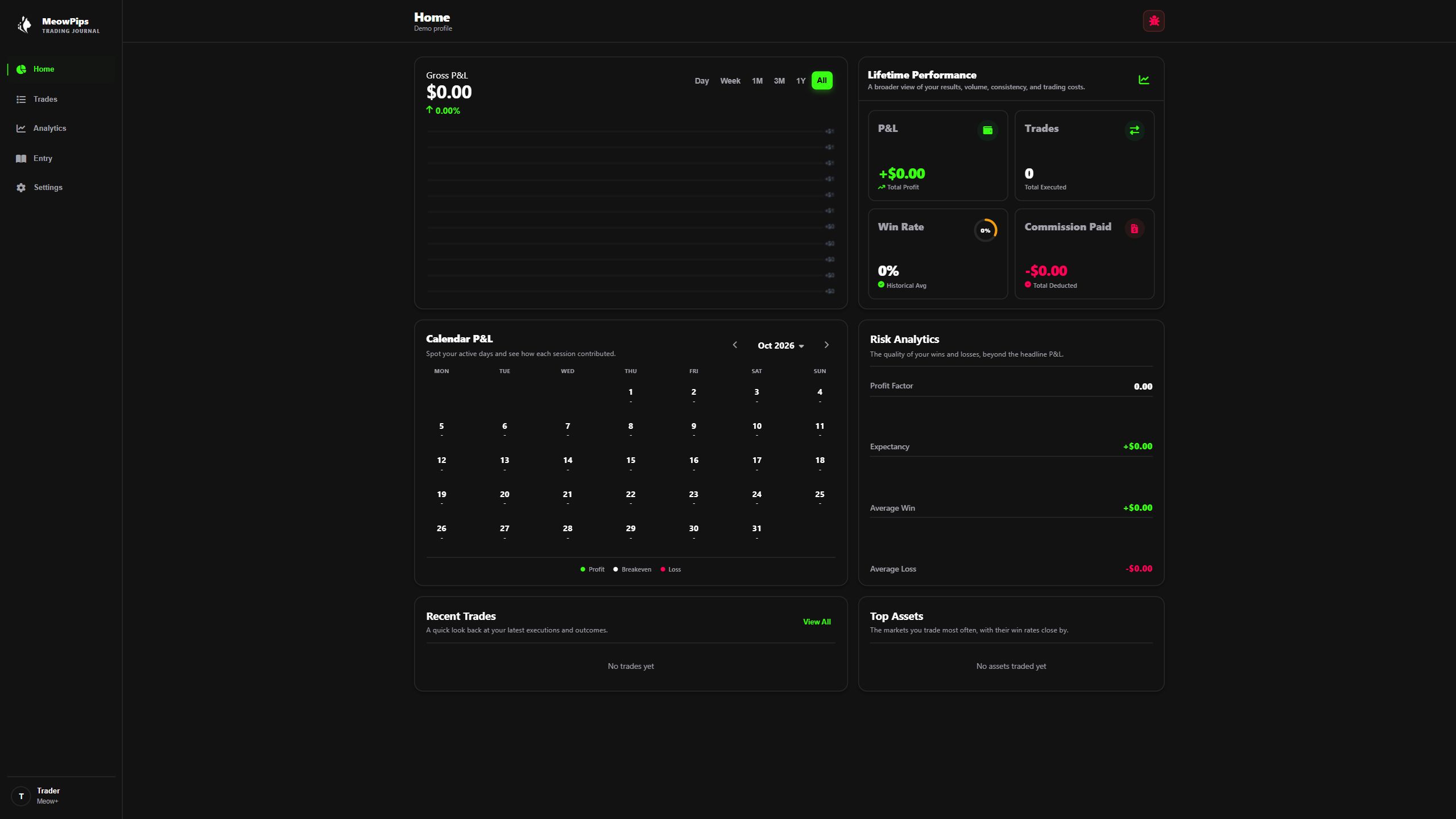
Keep your trading journal close on smaller screens. Log trades, write notes and review your saved results on the move.
The web app is available in your browser. No download required.